Best Free AI Agents to Try in 2026
The best free AI agents in 2026 include Manus for hosted general-purpose tasks, Google Jules for delegated GitHub development, OpenClaw for a self-hosted personal agent, and n8n for business automation. Developers who want to build custom agents can also consider Flowise, Dify, Langflow, and CrewAI.
These products are not directly equivalent. Some give you a ready-to-use agent with restricted credits or task limits. Others provide free or open-source software but require your own AI model, API account, server, or technical setup.
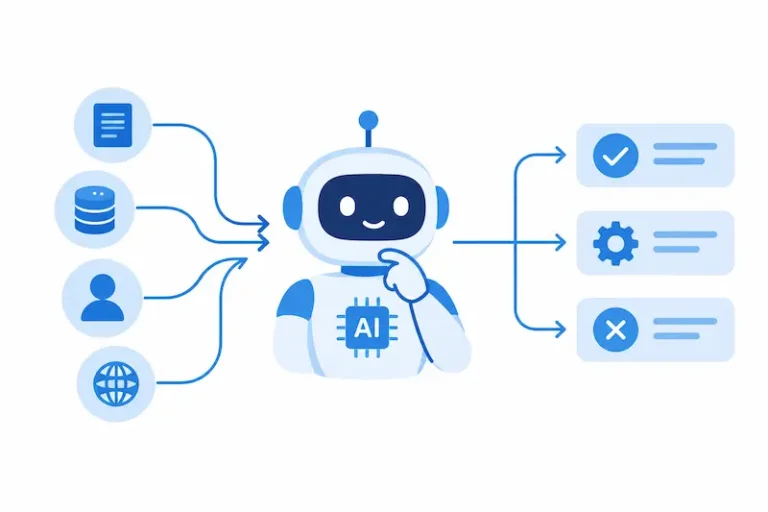
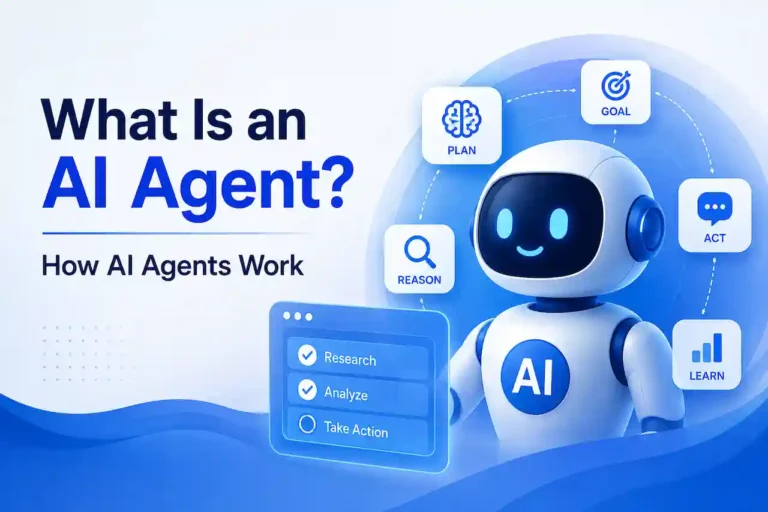
An AI agent is more than a chatbot that produces an answer. It can interpret a goal, decide which tools to use, perform actions, inspect results, and continue working through multiple steps. That ability makes agents useful for research, coding, document processing, workflow automation, and other digital tasks.
It also introduces costs and risks that are easy to overlook. A platform can be free to install while still generating model, hosting, integration, maintenance, and human-review expenses.
In this guide, you will learn which free AI agents are worth considering, what “free” means for each option, where the restrictions begin, and how to select and evaluate an agent safely.
Accuracy note: Plans, credits, quotas, eligible models, and product features change frequently. The information below was checked against official product documentation on September 8, 2026. Confirm current terms before connecting accounts or building a production workflow.
Quick Answer: The Best Free AI Agents by Use Case
| AI agent or platform | Best for | Free-access model | Setup level | Separate model needed? |
| Manus | General multi-step tasks | Hosted plan with limited credits | Beginner | No |
| Google Jules | Delegated GitHub development | Hosted plan with daily task limits | Intermediate | No |
| OpenClaw | Self-hosted personal assistance | Free open-source software | Intermediate | Yes, or eligible existing access |
| GitHub Copilot Free | Lightweight agentic coding | Monthly free usage allowance | Beginner to intermediate | No |
| n8n Community Edition | Business workflow automation | Free self-hosted edition | Intermediate | Usually |
| Flowise | Visual agent workflows | Open-source, self-hosted | Intermediate | Usually |
| Dify | Publishing custom agent applications | Open-source, self-hosted | Intermediate | Usually |
| Langflow | Visual agent prototyping | Open-source, local or self-hosted | Intermediate | Usually |
| CrewAI | Programmable multi-agent systems | Open-source Python framework | Advanced | Yes |
Best Choices in Brief
- Best hosted general-purpose agent: Manus
- Best free coding agent for GitHub repositories: Google Jules
- Best self-hosted personal agent: OpenClaw
- Best lightweight coding option: GitHub Copilot Free
- Best self-hosted automation platform: n8n
- Best visual builder for complex agent flows: Flowise
- Best option for publishing an agent as an app: Dify
- Best visual prototyping environment: Langflow
- Best Python framework for multi-agent systems: CrewAI
How These AI Agents Were Selected
This comparison is based on verified product documentation rather than invented hands-on testing.
A product qualified for the list when it met the following criteria:
- It had a free plan, free edition, or open-source version available at the review date.
- It could plan, select tools, execute actions, or coordinate a multi-stage workflow.
- Its free access supported meaningful experimentation rather than only a temporary product demonstration.
- It had active official documentation.
- Its intended use and principal limitations could be verified.
- It offered a distinct reason to choose it over the other products.
Ordinary chatbots were excluded unless their free product included identifiable tool use or agentic functionality. Paid-only tools and short trials were not treated as permanently free agents.
The recommendations are based on documented capabilities, cost structure, setup requirements, and practical use-case fit. They are not performance rankings based on laboratory benchmarks.
What Does “Free AI Agent” Actually Mean?
The word “free” describes several different cost models. Understanding them prevents unpleasant surprises after you build a workflow or connect an account.
Hosted Free Plan
The provider operates the agent and gives you a limited allowance. Restrictions may apply to credits, tasks, execution time, concurrent jobs, eligible models, integrations, or scheduling.
This is generally the easiest way to try an AI agent.
Free Software With Separate Model Costs
The agent software is free, but its reasoning model comes from another provider. You may need to supply an API key and pay for the model calls the agent generates.
Agentic workflows can consume more model usage than ordinary chat because the system may plan, call tools, inspect results, retry actions, and revise its output.
Free Self-Hosted Edition
The platform does not charge a software subscription, but you must run it on your own computer or server. Hosting, maintenance, storage, monitoring, and backups remain your responsibility.
Local Agent With a Local Model
Both the agent and its model can run on your hardware. This can reduce API charges and give you more control over data, but you need appropriate hardware and must manage the system yourself.
Total agent cost = software + model usage + hosting + integrations + maintenance + human review
“Free to download” and “free to operate”” are not the same thing.
Best Ready-to-Use Free AI Agents
The following options provide a usable agent or agentic coding environment. OpenClaw requires installation, but it gives the user a complete personal-agent experience rather than only a development framework.
1. Manus: Best Hosted General-Purpose AI Agent
Manus is the strongest starting starting point for readers who want to assign a broad, multi-step task task without installing software or assembling an agent workflow.
Its Agent Mode can work through tasks involving research, documents, websites, presentations, and other structured digital outputs. The interface is designed around delegation rather than programming individual workflow nodes.
Free Access
According to the official Manus pricing documentation, its free plan includes:
- Access to Chat Mode
- Access to Manus 1.6 Lite in Agent Mode
- 300 daily-refresh credits
- One One concurrent task
- Two scheduled tasks
There is an important restriction. Manus separately states that free users have a monthly consumption limit of 1,500 daily-refresh credits. Credit use also depends on the complexity of the assignment.
This means the free plan is suitable? suitable for experimentation experimentation and occasional tasks, not sustained high-volume work. The current rules are available in the Manus credit guide.
What Manus Is Useful For
- Gathering and organizing information
- Producing a structured research brief
- Comparing products or services
- Drafting documents and presentations
- Turning a broad objective into several working steps
- Creating basic websites or other digital deliverables
- Running a small number of scheduled tasks
Strengths
- No self-hosting required
- Accessible to non-developers
- Broad range of supported assignments
- Limited scheduled tasks included
- Clear route from chat to agent execution
Limitations
- Free users receive the Lite agent model
- Substantial tasks can consume credits quickly
- Daily credits are subject to a monthly limit
- Only one agent task can run at a time
- Complex research and deliverables still require verification
Who Should Choose Manus?
Choose Manus if you want to experience a hosted general-purpose agent with minimal setup.
Who Should Skip It?
Skip it if you need unlimited runs, full control over the model, predictable high-volume usage, or a self-hosted environment.
2. Google Jules: Best Free Agent for GitHub Tasks
Jules is Google’s asynchronous coding agent for GitHub repositories. It can inspect a codebase, prepare a plan, modify files, run relevant work, and return proposed changes for review.
Google describes Jules as capable of fixing bugs, adding documentation, and building features. The official Jules getting-started documentation explains how it connects to GitHub and works on repository-level assignments.
Free Access
The free Jules plan currently provides:
- Up to 15 tasks in a rolling 24-hour period
- Up to three concurrent tasks
- Access to Gemini 2.5 Pro
These allowances are listed on Google’s Jules limits and plans page. Users must be at least 18 years old, and Google notes that plan limits may evolve.
What Jules Is Useful For
- Fixing a clearly documented bug
- Adding tests
- Updating project documentation
- Implementing a contained feature
- Refactoring a defined part of a codebase
- Applying repetitive changes across a repository
Strengths
- Designed specifically for repository-level work
- Can work asynchronously
- Integrates with GitHub
- Allows several concurrent tasks on the free plan
- Gives free users a clearly documented daily allowance
Limitations
- It is not a general-purpose business agent
- GitHub repository access is required
- Poorly scoped assignments can create unnecessary changes
- Generated code still needs review and testing
- The free plan has lower model access than paid tiers
Best First Task
Give Jules a small repository with a reproducible issue, existing tests, and a clear definition of completion.
Who Should Choose Jules?
Choose Jules if your code is stored on GitHub and you want to delegate bounded repository work.
Who Should Skip It?
Skip it if you need real-time pair programming, non-coding automation, or support for work outside a compatible repository.
3. OpenClaw: Best Free Self-Hosted Personal Agent
OpenClaw is an open-source personal agent that runs on the user’s own hardware. It connects an agent gateway with chat services such as Slack, Telegram, WhatsApp, Signal, Discord, Microsoft Teams, and other supported channels.
Unlike a visual agent-building platform, OpenClaw is intended to operate as an always-available assistant. Its official documentation describes support for tool use, sessions, memory, automation, and multi-agent routing.
The OpenClaw documentation states that the software has no paid tier and is MIT-licensed. However, users normally need an eligible provider login, a model API key, or a compatible local-model configuration. The agent software may therefore be free while its model usage is not.
What OpenClaw Is Useful For
- Interacting with an agent through familiar messaging apps
- Running a personal assistant on a laptop or server
- Automating recurring tasks
- Connecting tools through agent skills
- Maintaining separate sessions for different users or purposes
- Building a privately managed agent environment
Setup Requirements
The official OpenClaw getting-started guide lists supported versions of Node.js and explains the available installation routes for macOS, Linux, and Windows.
Users should be comfortable with:
- Installing and updating local software
- Configuring a model provider
- Managing credentials
- Controlling channel access
- Restricting agent permissions
- Reviewing installed skills or plugins
Strengths
- Open-source software
- Runs on user-controlled hardware
- Supports multiple communication channels
- Includes agent memory, tools, and routing
- No vendor usage cap at the software layer
- Can work with different model providers
Limitations
- The model may still cost money
- Setup is more demanding than using a hosted agent
- Deep access to messages, files, and tools creates security risk
- The user is responsible for updates and configuration
- It is not appropriate for sensitive business use without careful hardening
Best First Task
Run OpenClaw locally with a restricted test workspace and a low-risk tool, such as reading a sample folder or drafting a message without sending it.
Who Should Choose OpenClaw?
Choose OpenClaw if you want control over a personal agent and are prepared to manage the technical environment.
Who Should Skip It?
Skip it if you need a zero-setup hosted service or cannot securely administer credentials and system permissions.
4. GitHub Copilot Free: Best Lightweight Agentic Coding Option
GitHub Copilot Free provides limited no-cost access to coding assistance and agent-oriented features within the GitHub ecosystem.
It is less suitable than Jules for delegating numerous autonomous repository tasks, but it is an accessible starting point for developers who already work in GitHub or a supported editor.
Free Access
GitHub’s current documentation states that Copilot Free includes:
- 2,000 code completions per month
- A monthly allowance of GitHub AI Credits
- Model access through automatic model selection
GitHub measures AI features such as Copilot Chat, Copilot CLI, agent mode, and Copilot cloud-agent sessions through AI Credits. More complex agentic work can consume more credits because it involves multiple model calls.
The current cost and allowance structure is explained in the GitHub Copilot billing documentation.
GitHub also distinguishes its own Copilot agent features from third-party coding agents. Availability can vary by plan, product surface, rollout status, and account configuration. Readers should verify the current Copilot plan comparison before relying on a specific agent integration.
What Copilot Free Is Useful For
- Understanding unfamiliar code
- Drafting small changes
- Explaining errors
- Generating basic tests
- Suggesting implementation steps
- Trying agent mode on contained coding tasks
- Learning AI-assisted development
Strengths
- Integrates with familiar developer tools
- Low initial setup burden
- Includes both code completion and AI-assisted workflows
- Useful for occasional coding support
- No paid subscription is required to start
Limitations
- The monthly free allowance is restricted
- Complex agent sessions consume more credits
- Some advanced or third-party agents require paid access
- Available capabilities may differ across GitHub and editor interfaces
- It is not intended for unlimited repository-wide work
Who Should Choose Copilot Free?
Choose it if you want occasional coding assistance inside an existing GitHub workflow.
Who Should Skip It?
Skip it if you need predictable heavy usage, extensive model choice, or long-running autonomous development sessions.
Best Free Platforms for Building AI Agents
The following products are not interchangeable with hosted agents such as Manus. They provide the environment, framework, or workflow components needed to build an agent.
The software may be free, but useful execution usually requires a language model and may require hosting or external services.
5. n8n Community Edition: Best for Business Automation
n8n is a low-code automation platform that combines conventional workflow logic with AI agent nodes, integrations, triggers, data processing, and approval steps.
Its main advantage is control. Predictable parts of a process can use fixed workflow rules, while an agent is introduced only where interpretation or tool selection is necessary.
The n8n Community Edition can be self-hosted for free and includes most core functionality. n8n also provides an AI Starter Kit that combines the workflow platform with compatible local AI components.
What You Can Build
- Email classification and draft generation
- Support-ticket triage
- Document extraction and routing
- Research and monitoring workflows
- Lead-processing automations
- Internal knowledge assistants
- Approval-based publishing processes
- Agents that operate across several connected applications
Strengths
- Large integration ecosystem
- Visual workflow design
- Strong balance between deterministic automation and agent decisions
- Free self-hosted edition
- Supports local and hosted models
- Appropriate for repeatable operational workflows
Limitations
- Users must manage the self-hosted environment
- Model and external API costs are separate
- Authentication requires careful configuration
- Poorly designed loops can generate unnecessary usage
- Some enterprise governance features require paid editions
Best First Task
Build a workflow that classifies synthetic support messages and drafts responses, but requires human approval before anything is sent.
Who Should Choose n8n?
Choose n8n when the goal is controlled business automation across apps and data sources.
6. Flowise: Best for Visually Designing Complex Agent Flows
Flowise is an open-source platform for building agents and language-model workflows through a visual interface.
Its documentation identifies Assistant, Chatflow, and Agentflow as its principal builders. Flowise Agentflow supports structured multi-stage processes, while the wider platform includes APIs, tracing, evaluations, analytics, and human-in-the-loop functionality.
What You Can Build
- Tool-using assistants
- Research workflows
- Document question-answering systems
- Retrieval-augmented agents
- Multi-stage content operations
- Agents connected to external APIs
- Multi-agent prototypes
Strengths
- Open-source
- Flexible visual builder
- Supports agentic and conventional LLM workflows
- Includes evaluation and tracing options
- Supports human involvement
- Can be embedded into another application
Limitations
- A model provider or local model is normally required
- Production hosting is a separate responsibility
- Large visual flows can become difficult to maintain
- Reliability requires testing and monitoring
- Secure deployment requires technical knowledge
Best First Task
Create a research agent with one retrieval tool, one approved source set, and a required citation field.
Who Should Choose Flowise?
Choose Flowise if you want visual control over a complex agent workflow and expect to connect multiple tools or stages.
7. Dify: Best for Publishing an Agent as an Application
Dify is an open-source platform for building and publishing AI applications. It supports agent applications that can use tools, access knowledge, maintain conversational context, and operate through a web interface or API.
The Dify agent documentation explains that an agent can run as a standalone chat application and select tools while working toward the user’s objective.
What You Can Build
- Customer-support assistants
- Employee knowledge agents
- Research applications
- Document-processing tools
- Agents that query external systems
- Web applications for internal or public users
- Agent services called through an API
Strengths
- Open-source self-hosting option
- Visual application configuration
- Suitable for publishing web apps
- API-based delivery
- Knowledge and retrieval capabilities
- Supports external tools and services
Limitations
- Self-hosting requires suitable infrastructure
- Model usage may be paid
- Public applications need authentication and abuse controls
- Production observability requires planning
- Data-handling controls depend on the deployment
Best First Task
Create an internal agent that answers questions from a small, non-sensitive document set and refuses unsupported questions.
Who Should Choose Dify?
Choose Dify when the final product must be accessible as a web application or API.
8. Langflow: Best for Learning and Prototyping Agents
Langflow is an open-source, Python-based framework with a visual editor. It supports agents, tools, knowledge sources, local and hosted models, other agents, and the Model Context Protocol.
The official Langflow agent documentation explains how tools extend a language model and allow it to execute actions.
Langflow also supports approval gates for particular tools. An agent can pause before performing a sensitive action and wait for a person to approve or reject it. Its tool-approval documentation uses a Git commit as one example.
What You Can Build
- Simple tool-using agents
- Knowledge-grounded assistants
- Agents connected to MCP servers
- Multi-agent flows
- Research and extraction prototypes
- Agent services accessed through an API
Strengths
- Visual and customizable
- Open-source
- Supports local installation
- Works with several model providers
- Provides tool-level approval controls
- Useful for understanding agent architecture
Limitations
- Model and credential configuration is still required
- Production deployment requires engineering
- Local installation has system requirements
- Complex applications need monitoring and access controls
- Visual workflows can conceal underlying model costs
Best First Task
Use the Simple Agent template with one calculator or URL tool, then inspect why and when the agent selected that tool.
Who Should Choose Langflow?
Choose Langflow when you want to learn how agents, models, tools, and approvals connect or need to prototype an agent visually.
9. CrewAI: Best for Programmable Multi-Agent Systems
CrewAI is an open-source Python framework for coordinating specialized agents and structured workflows.
Its “crews” allow role-based agents to collaborate, while “flows” provide more explicit control over process execution. The official CrewAI documentation covers tools, knowledge, memory, guardrails, observability, agents, crews, and flows.
What You Can Build
- Research and writing agent teams
- Multi-stage market-analysis systems
- Software-development workflows
- Document review and approval processes
- Agents with distinct tools and responsibilities
- Hybrid systems combining agent decisions with fixed process logic
Strengths
- Fine-grained programmatic control
- Designed for multi-agent orchestration
- Supports knowledge, memory, tools, and guardrails
- Open-source
- Appropriate for custom Python applications
- Suitable for developers who need control over execution
Limitations
- Requires Python development
- Model and tool costs are separate
- Multi-agent systems add latency and failure points
- More agents do not automatically improve results
- Developers must implement security, evaluation, and monitoring
Best First Task
Build a two-agent workflow in which one agent gathers information from an approved source set and a second checks whether every claim has supporting evidence.
Who Should Choose CrewAI?
Choose CrewAI when you need a programmable multi-agent architecture and can manage the entire technical stack.
Side-by-Side Cost and Access Comparison
| Tool | Software or plan cost | Hosting required? | Model included? | Can run locally? | Main free restriction |
| Manus | $0 hosted plan | No | Yes | No | Credit and task limits |
| Jules | $0 hosted plan | No | Yes | No | 15 daily and 3 concurrent tasks |
| OpenClaw | Free open-source software | Local device or server | No | Yes | Model access and infrastructure |
| Copilot Free | $0 hosted plan | No | Yes | No | Monthly completion and AI-credit limits |
| n8n Community | Free self-hosted edition | Yes | No | Yes | Hosting, model, and integration costs |
| Flowise | Free open-source software | Local or server | No | Yes | Model and infrastructure costs |
| Dify | Free open-source software | Local or server | No | Yes | Model and infrastructure costs |
| Langflow | Free open-source software | Local or server | No | Yes | Model and infrastructure costs |
| CrewAI | Free open-source framework | Development environment | No | Yes | Model, development, and infrastructure costs |
Which Free AI Agent Should You Choose?
Start with the task, not the product.
Choose Manus If:
- You want a hosted general-purpose agent.
- You do not want to install software.
- Your expected use fits within a restricted credit allowance.
- You need research or digital deliverables rather than code-only work.
Choose Jules If:
- You use GitHub.
- You want to delegate a contained coding task.
- Asynchronous execution is more important than live pair programming.
- You can review and test all proposed changes.
Choose OpenClaw If:
- You want a self-hosted personal agent.
- You prefer access through messaging services.
- You want control over the model and infrastructure.
- You can manage permissions, credentials, and updates.
Choose GitHub Copilot Free If:
- You need occasional coding assistance.
- You already use GitHub or a supported editor.
- A monthly allowance is sufficient.
- You do not need heavy autonomous execution.
Choose n8n If:
- Your agent must interact with business applications.
- The process includes triggers, rules, data transformations, and approvals.
- You want a visual workflow.
- You can self-host the platform.
Choose Flowise If:
- You need a flexible visual agent flow.
- Retrieval, multiple tools, or several agent stages are required.
- You want tracing and evaluation options.
- You are comfortable configuring models and deployment.
Choose Dify If:
- You want to publish an agent as a web application.
- Other users need to access it through an interface or API.
- Knowledge retrieval is central to the application.
- You can manage hosting and access control.
Choose Langflow If:
- You are learning agent development.
- You want to see how models, tools, and data connect.
- Tool-level human approval is important.
- You want to prototype before writing more code.
Choose CrewAI If:
- You are a Python developer.
- The task genuinely requires specialized agents.
- You need programmatic control.
- You can implement monitoring, testing, and guardrails.
How to Evaluate an AI Agent Before Relying on It
Do not begin with your main inbox, production repository, customer database, or payment system. Start with a low-risk, measurable task.
Step 1: Define a Bounded Assignment
Good test tasks include:
- Summarize five supplied public documents and cite the source for each conclusion.
- Fix one reproducible bug in a test repository.
- Classify 20 synthetic support messages.
- Extract specified fields from ten sample invoices.
- Draft an email without sending it.
A bounded task has a clear input, expected output, and stopping condition.
Step 2: Decide What Success Means
Evaluate more than whether the final answer looks polished.
| Evaluation question | Result |
| Did the agent complete the requested task? | Yes / Partly / No |
| Did it use only authorized tools? | Yes / No |
| Were factual claims supported? | Yes / No |
| How much correction was required? | Low / Medium / High |
| Did it recover from an error? | Yes / No |
| Did it remain within the free allowance? | Yes / No |
| Did it take an unintended action? | Yes / No |
| Is it suitable for repeated use? | Yes / No |
Step 3: Limit Access
Use a test account, sample dataset, or non-production repository. Give the agent only the permissions needed for the assignment.
Step 4: Require Approval for Consequential Actions
A person should confirm actions such as:
- Sending an email
- Deleting a file
- Publishing content
- Merging code
- Purchasing a product
- Changing customer information
- Moving money
- Modifying access permissions
Step 5: Inspect the Process
Where the platform provides sufficient records, review:
- Tools selected
- Files or records accessed
- External calls
- Errors and retries
- Changes made
- Final output
- Reason the task stopped
Step 6: Repeat the Test
A single successful run does not establish reliability. Repeat the task with different inputs, incomplete information, and foreseeable edge cases.
Step 7: Estimate the Total Cost
Track:
- Credits consumed
- Model calls
- Hosting resources
- External service fees
- Setup time
- Maintenance time
- Human-review time
This reveals whether the free option remains practical after experimentation.
Hidden Costs of Free AI Agents
Model Usage
A self-hosted platform may require a commercial language-model API. Planning, tool use, retries, and revisions can multiply the number of model calls generated by one task.
Hosting
A continuously available agent requires a computer or server. Public applications may also need secure networking, monitoring, backups, and databases.
Integrations
Web search, email, data enrichment, document processing, vector storage, and other external tools can have their own prices and usage limits.
Maintenance
Someone must update dependencies, investigate errors, rotate credentials, examine logs, and respond to vulnerabilities.
Usage Limits
Hosted free plans may restrict credits, tasks, execution time, model selection, concurrency, scheduling, or integrations.
Human Review
An agent’s work must still be checked. Reviewing research, code, account changes, and external communications is an operational cost even when no software payment is required.
How to Use AI Agents Safely
An agent connected to tools creates more risk than a chatbot that only generates text. It may read untrusted material, follow malicious embedded instructions, expose information, or perform the wrong action with legitimate credentials.
NIST has identified indirect prompt injection and unintended autonomous actions among the security concerns affecting agent systems. Its AI agent security research explains how malicious instructions placed in content can divert an agent toward unintended actions.
The OWASP prompt-injection guidance recommends restricting privileges and requiring human approval for high-risk operations.
For Individual Users
- Begin with non-sensitive data.
- Use separate test accounts.
- Avoid placing passwords or reusable credentials in prompts.
- Review every message, purchase, deletion, or publication before approval.
- Remove connected-account access after testing.
For Developers
- Give the agent its own restricted credentials.
- Allow only the tools required by the task.
- Set limits on actions, retries, time, and spending.
- Isolate code execution.
- Treat webpages, documents, emails, and tool results as untrusted input.
- Log tool calls and material changes.
- Test prompt-injection and permission-boundary scenarios.
For Businesses
- Define an accountable owner.
- Document the approved purpose and data sources.
- Review privacy, retention, model-training, and cross-border data terms.
- Require approval for consequential decisions or actions.
- Maintain access and activity records.
- Monitor failures and unusual behavior.
- Establish suspension and incident-response procedures.
- Reassess the workflow when models, tools, or integrations change.
Notable Options Not Included
AutoGen
AutoGen was historically influential in multi-agent development. However, Microsoft’s official repository now states that the project is in maintenance mode and directs new users toward Microsoft Agent Framework.
For that reason, it is not a primary recommendation for a new project. See the Microsoft AutoGen repository.
Kimi Agent
Kimi offers agent capabilities, but its official membership information places substantial agent allowances within paid plans.
Because a stable, meaningful free Agent Mode allowance could not be confirmed clearly enough from current official English-language documentation, it was not classified as one of the principal free options.
AgentOne
AgentOne promotes free desktop access and support for user-supplied or local models. It remains a relevant emerging option, but its current comparison claims are primarily vendor-published.
It should be independently evaluated before being placed above more established, documented alternatives.
Ordinary Free Chatbots
A free chatbot was not included simply because it can write a plan or simulate an agent. The product needed identifiable tool use, action execution, or agent orchestration relevant to its free access.
Final Verdict
The best free AI agent depends on whether you want to use an agent or build one.
Choose Manus for the easiest hosted introduction to general-purpose agent lich work. Choose Google Jules for bounded development tasks in GitHub. Choose OpenClaw when you want a self-hosted personal agent and can manage its permissions and infrastructure. Choose GitHub Copilot Free for lighter coding assistance within an existing development workflow.
For custom automation, n8n Community Edition provides the most practical combination of visual workflows, integrations, and agent components. Flowise, Dify, and Langflow offer different approaches to visual agent development, while CrewAI is better suited to developers who need programmatic multi-agent orchestration.
Start with one low-risk task. Restrict access, require approval for consequential actions, repeat the test with different inputs, and calculate the total operating cost before expanding the agent’s responsibilities.
Free access makes experimentation easier. It does not remove papa remove the need for verification, securitydiensten security controls, or human accountability.
Frequently Asked Questions
The right choice depends on the task, free-access limits, required integrations, and technical ability.
However, they may require paid model APIs, hosting, external services, or suitable local hardware.
Check the current registration and billing terms before setup.
The exact design must be tested before production use.
Begin with synthetic or non-sensitive data and apply appropriate organizational review before processing confidential or regulated information.