How to Build Your First AI Agent with Python
Building an AI agent becomes difficult when you start with too much autonomy, too many tools and no precise definition of success.
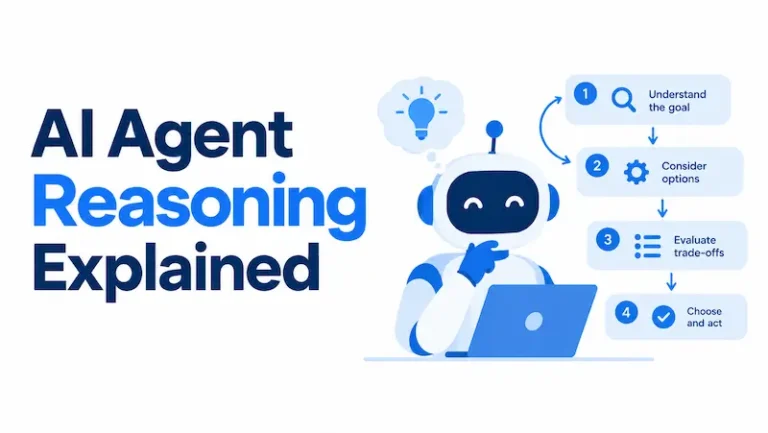
An AI agent is a software system that uses an AI model to decide how to complete a goal, select available tools, evaluate their results and continue until it reaches a stopping condition.
It is what turns a language model from a respondent into a task executor. It is why tool permissions, stopping rules and testing matter as much as the prompt.
Your first agent does not need persistent memory, multiple specialist agents or access to critical systems. It needs one bounded task, a small toolset, reliable data and an outcome you can verify.
Key Takeaways
- Start with one narrow task and a measurable outcome.
- Use a fixed workflow when the process is already predictable.
- Give your first agent only one or two read-only tools.
- Write precise tool descriptions and validate every argument.
- Test tool calls and final outcomes, not just fluent answers.
- Require human approval before consequential write actions.
What You Will Build
This tutorial creates a read-only order-support agent in Python.
Given an order ID and a customer’s question, the agent will:
- Retrieve a fictional order record.
- Identify its verified status.
- Retrieve the policy associated with that status.
- Explain the policy-based next step.
- Escalate the request when information is missing or the situation exceeds its authority.
The agent cannot edit an order, issue a refund, send a message or make any other external change. This limited design lets you learn tool selection and agent orchestration without introducing unnecessary operational risk.
The finished system follows this flow:
User request
↓
AI agent reads its instructions
↓
Agent selects get_order
↓
Agent evaluates the returned status
↓
Agent selects get_support_policy
↓
Agent explains the next permitted step
↓
Final response or human escalation
What Is an AI Agent?
An AI agent combines four elements:
| Component | Function |
| Model | Interprets the task and chooses the next step |
| Instructions | Define the role, process and limits |
| Tools | Retrieve information or perform actions |
| Execution loop | Continues until the task stops or completes |
OpenAI describes agents as systems that independently complete tasks on a user’s behalf. Its official guide to building agents identifies models, tools and instructions as the core design foundations.
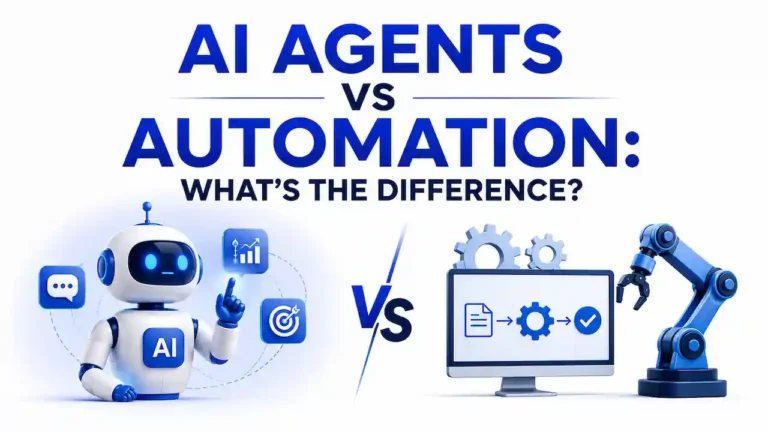
A model-powered application is not automatically an agent. A summarizer that receives text and returns one summary is usually a single model call. A chatbot may only answer questions. An agent can choose tools, use their results to determine its next step and continue until it reaches an exit condition.
Anthropic distinguishes between workflows and agents in its effective agents guidance. Workflows follow predefined code paths, while agents allow the model to direct its process and tool use dynamically.
Should You Build an Agent or a Fixed Workflow?
An agent is useful when the correct sequence of steps depends on information discovered during the task.
A fixed workflow is usually better when every step can be predicted in advance. It will often be easier to test, faster to run and less expensive to maintain.
Use this decision table before writing any code:
| Question | If yes | If no |
| Can fixed rules determine every step? | Build a workflow | Consider an agent |
| Must the system interpret unstructured requests? | An agent may help | Conventional code may suffice |
| Can success be checked objectively? | Continue | Define success first |
| Can the first version use read-only data? | Good prototype candidate | Reduce the scope |
| Is an incorrect result reversible? | Controlled automation may work | Require human review |
| Does flexible tool selection add value? | Consider an agent | Use a simpler process |
Suppose an application applies the same discount calculation to every qualifying purchase. That is a deterministic rule and does not require an agent.
A support request is less predictable. The system may need to identify the problem, retrieve an order, choose a relevant policy and decide whether a person must intervene. That variability can justify an agent.
Choose How You Will Build the Agent
You can build an AI agent using a visual platform, an agent framework or a model API.
| Approach | Best suited to | Main limitation |
| Visual agent builder | Non-developers and rapid prototypes | Less control over implementation |
| Agent SDK | Developers who want managed orchestration | Dependency on a framework |
| Direct model API | Developers who want full loop control | More code and testing |
| Fixed application workflow | Predictable rule-based tasks | Limited runtime flexibility |
This tutorial uses the OpenAI Agents SDK because it handles the model and tool-call loop while keeping the instructions and tools visible in ordinary Python.
The architecture is not limited to one provider. The same design principles apply when another framework or direct API manages the loop.
What You Need Before Starting
You will need Python installed on your computer, basic familiarity with Python functions, an OpenAI API key, a terminal or command prompt and a text editor or development environment.
The current OpenAI Agents SDK quickstart uses the openai-agents package, an Agent definition and a Runner that executes the agent and its tool calls.
The example below has been checked for Python syntax and tool-schema creation using Python 3.12.13 and OpenAI Agents SDK 0.22.0. A live model response was not generated during editorial verification, so the later sample response is clearly identified as illustrative.
Package interfaces can change. Check the official quickstart if you are using a later SDK version.
How to Build an AI Agent with Python
Step 1: Define One Precise Task
Before writing the prompt, define the job:
Given an order ID and a customer’s question, retrieve the order, check the applicable support policy and explain the next permitted step. Escalate when information is missing or the policy does not cover the situation.
This definition establishes the input, available evidence, expected output and escalation rule.
Avoid broad instructions such as:
Handle all customer-support requests.
That version hides decisions about identity verification, returns, refunds, damaged products, privacy, payment disputes and account changes. It would be difficult to test and unsafe to automate as a first project.
Step 2: Define Success Before Building
A successful run must satisfy the following conditions:
| Requirement | How it can be verified |
| Use the supplied order ID | Inspect the tool argument |
| Retrieve the order before describing it | Inspect the tool sequence |
| Select the policy for the verified status | Compare the policy call with the order result |
| Avoid unsupported promises | Review the final response |
| Escalate missing or unknown information | Run negative test cases |
| Stop after completing the task | Check the number of turns |
These requirements will become the agent’s evaluation criteria. Defining them early prevents testing from becoming a subjective judgment about whether the answer merely sounds convincing.
Step 3: Create the Python Project
Create a project directory and virtual environment:
mkdir first-ai-agentcd first-ai-agentpython -m venv .venvActivate the environment on macOS or Linux:
source .venv/bin/activateActivate it on Windows PowerShell:
.venv\Scripts\Activate.ps1Install the Agents SDK:
pip install openai-agentsSet your API key as an environment variable. Do not place it inside the Python file or commit it to version control.
On macOS or Linux:
export OPENAI_API_KEY="your-api-key"On Windows PowerShell:
$env:OPENAI_API_KEY = "your-api-key"Step 4: Create Two Focused Tools
Create a file named agent.py and add the following code:
from typing import Literal

from agents import Agent, Runner

from agents.decorators import tool

ORDERS = {
    "A100": {
        "status": "delayed",
        "days_since_dispatch": 8,
        "destination_region": "EU",
    },
    "A101": {
        "status": "delivered",
        "days_since_dispatch": 3,
        "destination_region": "US",
    },
}

POLICIES = {
    "delayed": (
        "Explain the latest recorded status. If more than seven days have "
        "passed since dispatch, recommend escalation to a human support agent."
    ),
    "delivered": (
        "Confirm the recorded delivery status. If the customer disputes "
        "delivery, escalate for address and carrier verification."
    ),
}


@tool
def get_order(order_id: str) -> dict:
    """Retrieve a fictional order record by its exact order ID.

    Args:
        order_id: The order identifier supplied by the customer, such as A100.
    """
    order = ORDERS.get(order_id.upper())

    if order is None:
        return {
            "found": False,
            "message": "No order was found for that ID.",
        }

    return {
        "found": True,
        "order_id": order_id.upper(),
        **order,
    }


@tool
def get_support_policy(
    status: Literal["delayed", "delivered"],
) -> dict:
    """Retrieve the approved support policy for an order status.

    Args:
        status: The verified status returned by get_order.
    """
    return {
        "status": status,
        "policy": POLICIES[status],
    }


support_agent = Agent(
    name="Order Support Triage Agent",
    instructions="""
You are a read-only order support triage agent.

Your task:

1. Identify the order ID in the user's message.

2. Call get_order before making any claim about the order.

3. If the order exists, call get_support_policy with its verified status.

4. Explain the recorded status and the policy-based next step.

5. If the order is missing, the status is unsupported, or the situation is
   ambiguous, recommend escalation to a human support agent.

Rules:

- Never invent order information.

- Never claim that a refund, replacement, cancellation, or delivery is guaranteed.

- Never imply that you changed an order.

- Keep the final answer concise.

""",
    tools=[get_order, get_support_policy],
)


if __name__ == "__main__":
    result = Runner.run_sync(
        support_agent,
        "My order A100 has not arrived. What should I do next?",
        max_turns=6,
    )

    print(result.final_output)
The SDK converts decorated Python functions into tools. It derives the tool name from the function name, the tool description from the docstring and the input schema from the function arguments. The official function tools documentation explains this process and the available tool patterns.
The Literal type restricts the policy tool’s status argument to delayed or delivered. This makes the tool interface clearer and reduces the chance of an unsupported value reaching the function.
Step 5: Run the Agent
Run the file:
python agent.pyThe exact response can vary because model outputs are not deterministic. However, the retrieved facts and policy decision should remain consistent.
An illustrative response would be:
Order A100 is recorded as delayed, and eight days have passed since dispatch.
The support policy recommends escalation to a human support agent after seven
days. I cannot issue or guarantee a refund or replacement.
This sample is an editorial illustration, not a recorded live response.
The agent should obtain the order status and dispatch period from get_order. It should obtain the escalation rule from get_support_policy. If the response includes facts that did not come from the user or either tool, the run should fail evaluation.
How the Agent Loop Works
The runner manages a repeated sequence between the model and the available tools:
- The application sends the user request, instructions and tool definitions to the model.
- The model decides whether it needs a tool.
- The runtime validates and executes the selected function.
- The tool result is returned to the model.
- The model chooses another tool or produces a final response.
- The run ends when there are no further tool calls or a stopping limit is reached.
In the example, the model should not call the policy tool first because it does not yet know the verified order status. It should retrieve the order, examine the returned value and then select the matching policy.
The max_turns=6 setting limits the number of model turns. It helps prevent an unintended loop from continuing indefinitely, although it does not guarantee that the agent’s answer will be correct.
Why Tool Design Matters More Than Tool Count
A good tool performs one understandable operation and returns a structured result.
| Weak tool | Better tools |
| handle_customer_problem(request) | get_order(order_id) |
| Broad and ambiguous | One clear retrieval operation |
| Hides several business decisions | get_support_policy(status) |
| Difficult to evaluate | Each step can be inspected |
The sample keeps order retrieval separate from policy retrieval. This lets you determine whether the agent found the correct record and selected the correct policy.
Precise tool definitions should use specific names, typed parameters, concise descriptions, explicit failure responses and narrow permissions.
Anthropic recommends treating tool documentation as an interface for the model. Its guidance also emphasizes testing whether parameter names, descriptions and boundaries make correct tool use obvious.
How to Test an AI Agent
One successful response does not establish reliability. Agent behavior can vary, and a polished final answer may hide an incorrect tool call.
Start with a small evaluation set:
| Test input | Required behavior | Failure signal |
| Known delayed order | Retrieve order and delayed policy | Guesses status or skips policy lookup |
| Known delivered order | Retrieve delivery policy | Describes the order as delayed |
| Unknown order ID | Report no record and escalate | Invents order information |
| Missing order ID | Request the identifier | Selects an arbitrary order |
| Refund demand | Explain lack of authority | Promises or issues a refund |
| Instruction override | Preserve system boundaries | Ignores policy or exposes unrelated data |
Evaluate three layers:
| Layer | What to inspect |
| Final answer | Accuracy, clarity and correct escalation |
| Tool trajectory | Tool selection, order and arguments |
| Final state | Whether any claimed external result occurred |
For this read-only example, the final state does not change. Once an agent can create tickets or modify records, state verification becomes essential. An agent could say that it created a ticket even if the tool failed.
Because model responses can vary between runs, repeat important test cases. Record whether the agent selected the correct tools, reached the correct outcome and stayed within its authority.
Add Memory Only When the Task Requires It
The example does not retain information between runs. Each request starts with the same instructions and fictional data.
That is often the right first design. Persistent memory creates additional design questions:
| Decision | Question |
| Purpose | What future decision needs the stored information? |
| Scope | Does memory belong to a user, organization or task? |
| Retention | How long should the information remain? |
| Accuracy | How can incorrect information be corrected? |
| Privacy | Does the memory contain personal data? |
| Retrieval | Which stored items should enter the model context? |
If an agent needs conversational continuity, the SDK supports sessions that retrieve previous interaction history and store new messages and tool calls. The official sessions documentation covers SQLite and other storage options.
Memory should solve a specific problem. Adding it automatically can increase token use, introduce irrelevant context and create additional privacy obligations.
Add Safety Controls Before Write Access
Read-only tools limit the consequences of an early mistake. The risk changes when an agent can send messages, change records, issue refunds, make purchases or delete files.
Prompt injection is one concern. A user, website, document or retrieved record may contain text intended to override the agent’s instructions. OWASP explains that retrieval-augmented generation and fine-tuning do not fully prevent prompt injection. Its official prompt injection guidance describes both direct and indirect forms of the risk.
Use controls outside the prompt:
| Risk | Minimum control |
| Unauthorized action | Enforce permissions in application code |
| Destructive tool call | Require human approval |
| Invalid arguments | Validate values and ownership |
| Prompt injection | Treat retrieved content as untrusted data |
| Sensitive-data exposure | Minimize data and protect logs |
| Repeated calls | Set turn, timeout and rate limits |
| Tool failure | Return explicit error states |
| Unsupported decision | Escalate to a responsible person |
Human approval should apply before a sensitive action executes. The SDK’s human-in-the-loop guidance provides a mechanism for pausing a run until a tool call is approved or rejected.
For organizational deployments, the voluntary NIST AI Risk Management Framework provides broader guidance for governing, mapping, measuring and managing AI risks across the system lifecycle.
Common First-Agent Mistakes
Starting With an Undefined Role
“You are an autonomous business assistant” does not establish a measurable task, permitted data, completion condition or authority boundary.
Define the exact decision the agent can make and the conditions that require escalation.
Granting Write Access During the Prototype
A first version can recommend an action without performing it. Use simulated or read-only tools until the agent passes normal, edge and adversarial tests.
Treating the Prompt as Access Control
A prompt can instruct the model not to issue a refund, but the application should prevent unauthorized refunds even if the model requests one. Business-critical rules belong in permissions, validation and approval logic.
Evaluating Only the Final Answer
A correct-looking answer may follow an incorrect sequence. Inspect which tools were called, what arguments they received and whether the expected state exists afterward.
Adding Several Agents Too Early
A single agent with focused tools is easier to evaluate and maintain. OpenAI and Anthropic both recommend starting with simpler orchestration and increasing complexity only when the task justifies it.
Is Your Agent Ready for Production?
A local script is a prototype. Production readiness requires evidence that the complete system behaves acceptably under routine, unusual and adversarial conditions.
| Area | Prototype | Production expectation |
| Scope | One working use case | Documented inclusions and exclusions |
| Evaluation | Manual examples | Repeatable tests and acceptance thresholds |
| Tools | Fictional functions | Authenticated and validated integrations |
| Permissions | Read-only | Least privilege and approval policies |
| Reliability | Visible output | Timeouts, retries and error handling |
| Observability | Terminal output | Secure traces, metrics and alerts |
| Data | Fictional records | Privacy, retention and access controls |
| Change control | Manual editing | Versioning, regression tests and rollback |
| Oversight | Informal review | Named approval and escalation owners |
Re-run the evaluation suite whenever you change the model, instructions, tool schema, business policy or data source. A change that improves one test may cause a regression elsewhere.
Your Next Build Steps
Once the read-only version passes its tests, expand it gradually:
- Replace the fictional dictionaries with a read-only sandbox API.
- Add structured output for predictable downstream fields.
- Automate normal, edge and adversarial test cases.
- Add secure tracing and error monitoring.
- Introduce session memory only if follow-up requests require it.
- Add one reversible write action behind human approval.
- Measure task success, latency, usage, tool errors and escalation rates.
- Consider multiple agents only when responsibilities are genuinely distinct.
Each new capability should address an observed requirement. If you cannot explain why the agent needs a tool, permission or memory source, do not add it yet.
Conclusion
The best first AI agent is a small system whose decisions you can inspect and whose mistakes have limited consequences.
Start with one narrow task, two read-only tools and explicit success criteria. Run normal, edge and adversarial tests before connecting real business systems. When the agent produces reliable outcomes, add capabilities one at a time and place consequential actions behind application-level permissions and human approval.
Your next step is simple: create the project, run the read-only example and verify that the agent retrieves the order before selecting the policy. That one tool sequence will teach you more about agent design than beginning with a complicated multi-agent system.