How to Summarize Text With ChatGPT
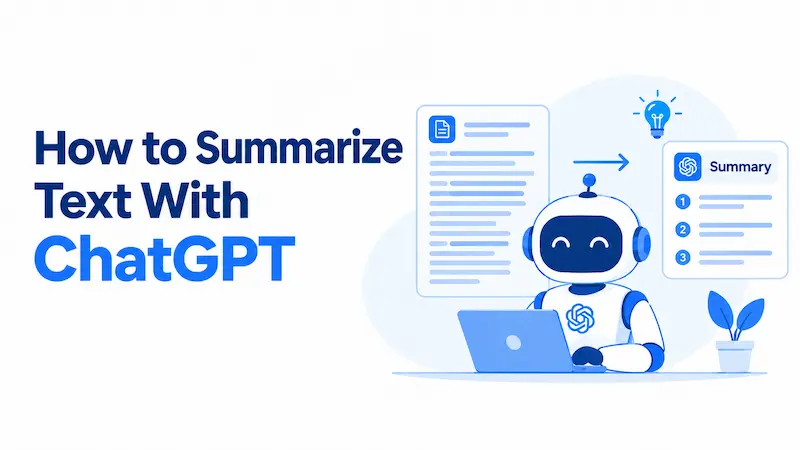
The difference between a useful ChatGPT summary and a generic one usually comes down to your prompt structure. Type “summarize this” and you’ll get something passable. Tell ChatGPT the format you want, how long the result should be, and who will read it, and you’ll get something you can actually use.
This guide gives you specific prompts and techniques that produce useful summaries across every major content type, plus a common-mistakes section that covers why ChatGPT summaries often disappoint and what to do instead.
What ChatGPT Is Good at Summarizing
Before getting into prompts, it helps to know where ChatGPT performs well and where it has limits.
ChatGPT handles these reliably:
- News articles and blog posts
- Business reports and internal memos
- Research papers (with the right prompt structure)
- Emails and message threads
- Meeting notes and transcripts
- Legal and financial documents (with verification)
It tends to underperform when:
- The source text is poorly structured or uses heavy domain jargon without context
- The document is image-based or scanned rather than text-based
- The content relies on tables, charts, or visual elements for its meaning
The model tier also matters. ChatGPT Plus gives access to more capable models that produce more nuanced summaries, particularly for complex or technical content. The free tier handles everyday tasks well. Neither is perfectly accurate, which is why verification matters for consequential documents.
How to Summarize Text With ChatGPT: Step by Step
- Go to ChatGPT and open a new conversation.
- Write your prompt first, before pasting any text.
- Below the prompt, paste the text you want to summarize.
- Send the message and read the result carefully.
- Check whether the summary captures what actually matters in the source.
- Follow up with refinements if the first result misses something (see the refinement section below).
The order in step 2 matters. Writing your instructions before the text gives ChatGPT clear context before it encounters the content, which tends to produce better-organized results.
Quick-Reference Prompt Table
| Goal | Prompt to Use | Best For |
| Quick overview | “Summarize the following text in 3 to 5 sentences:” | Articles, reports, general use |
| Bullet points | “List the key points from this text as bullet points:” | Meeting notes, long articles |
| Numbered takeaways | “List the 5 most important points from this text:” | Comparisons, structured content |
| Executive summary | “Write an executive summary under 150 words, focusing on conclusions and recommended actions:” | Business documents, reports |
| Plain language | “Summarize this in plain language for someone with no background in [field]:” | Technical papers, legal documents |
| One-line TL;DR | “Write a one-sentence TL;DR:” | Quick reference, previews |
| Action-focused | “Summarize this and identify any actions required or decisions needed:” | Emails, project updates |
| Structured academic | “Summarize this, covering: research question, method, findings, and limitations:” | Research papers |
Prompt Templates (With Notes on Why They Work)
Quick Overview
Summarize the following text in 3 to 5 sentences:
The sentence-count constraint does two things: it stops ChatGPT from padding the output, and it forces the model to prioritize. Without it, short content gets over-explained and long content gets under-summarized. Setting an explicit range fixes both problems.
Bullet Points and Key Takeaways
List the key points from the following text as bullet points:
Or, for a specific count:
List the 5 most important points from the following text:
The numbered version is useful when you need consistency across multiple documents. If you’re comparing five articles and want five points from each, specifying the count ensures the outputs are directly comparable.
Executive Summary
Write an executive summary of the following text in under 150 words. Focus on the main conclusions and any recommended actions:
This prompt works because it defines two parameters: length and priority. ChatGPT is told what matters (conclusions and actions), so it doesn’t spend space on background context unless essential. The word limit forces real compression.
Plain-Language Explanation
Summarize the following text in plain language so someone with no background in [field] can understand it:
Naming the specific field in the bracket (medicine, finance, law, statistics) produces better results than using generic “plain language” as the only instruction. The more context ChatGPT has about the reader, the better it calibrates vocabulary and depth.
One-Sentence TL;DR
Write a one-sentence TL;DR of the following text:
Works well for articles and opinion pieces. For data-heavy content, a single sentence loses too much, so use bullet points instead.
Action-Focused Summary
Summarize the following text and identify: any decisions made, any action items, and who is responsible if mentioned:
This goes beyond summarizing what was said and extracts what needs to happen next. It’s the most useful prompt for operational content like emails, project updates, and meeting notes.
How to Control Your Summary
You can adjust three variables in any prompt to get a precise result.
Length
Use explicit word or sentence counts rather than vague terms like “short” or “brief.” ChatGPT’s interpretation of “brief” varies widely depending on the source text length.
Clear options:
- “in exactly 3 sentences”
- “in under 100 words”
- “in one paragraph of no more than 5 sentences”
- “in 200 words or fewer”
Format
State the format directly:
- “as bullet points”
- “as a numbered list”
- “as a table with two columns: topic and key insight”
- “in flowing prose”
Audience
Name the reader explicitly:
- “for a non-technical manager”
- “for a client with no background in data science”
- “for a team that did not attend the meeting”
Combining all three gives you tightly controlled output. Here is what that looks like in practice:
Summarize the following legal document as 5 bullet points for a small business owner with no legal background. Keep each bullet to one sentence and focus on the practical implications for the business:
That prompt transforms a generic “summarize this” into output specifically useful to a specific reader. The additional words in the prompt take ten seconds to write and significantly improve what you get back.
How to Summarize Long Text
ChatGPT handles most everyday articles, emails, and business documents without issue. Very long content, such as a book, a lengthy contract, or a multi-chapter report, may exceed the context window, which is the amount of text ChatGPT can process at one time.
There are two reliable solutions.
The Chunking Method
Divide the document into sections and summarize each one separately, then combine the results.
- Paste Section 1 and send: “Summarize this section in 5 bullet points.”
- Paste Section 2 and send the same prompt.
- Continue through all sections.
- Once you have all the section summaries, paste them together and send: “Combine these section summaries into one cohesive overview, removing any redundancy.”
This method requires no paid subscription and gives you control over each section before combining.
File Upload (ChatGPT Plus)
With a Plus subscription, you can upload PDF and Word documents directly into the conversation. ChatGPT reads the file and summarizes from it without any copy-pasting. This is faster and better preserves document structure.
After uploading, prompt normally: “Summarize the key findings of this document” or “List the main recommendations from this report.”
When to use each: File upload is faster for well-formatted documents. Chunking is more useful when you want granular control over each section, or when the document has a complex structure you want to address piece by piece.
Prompts for Specific Content Types
Articles and Web Pages
Summarize this article and tell me the main argument the author is making:
If you want to decide whether to read the full piece:
Read the following and tell me whether it is likely to be useful for someone researching [topic]. Give a 2-sentence summary and a yes/no recommendation:
Emails and Message Threads
For a single email:
Summarize this email and tell me if any response or action is required from me:
For a thread:
Summarize this email thread. List: what was decided, what actions are still pending, and who is responsible for each:
Research Papers
Summarize this research paper in structured form. Include: the research question, the methodology, the main findings, any limitations the authors acknowledge, and the practical implications:
This structure prevents a common problem where ChatGPT spends most of its summary on background and introduction rather than results, which is often the opposite of what you need. If you are using ChatGPT for broader research tasks, you can also use it to organize and investigate information more systematically.
Meeting Notes
Clean up and summarize these meeting notes. Output: a brief summary of what was discussed, decisions made, action items with owners if named, and any unresolved questions:
Books and Long Reports
For a book, summarize chapter by chapter using the chunking method, then combine with this prompt:
I’ve provided chapter summaries from [book title]. Synthesize these into an overall summary covering: the main thesis, the supporting arguments, and the key conclusions:
For a long report, summarize section by section and close with:
Based on these section summaries, write an executive overview of the full report, emphasizing the conclusions and any recommended actions:
How to Refine a Summary That Misses the Mark
Getting a useful summary often takes more than one exchange. Learning how to get better results from ChatGPT can help you steer the output when the first result is not right.
If it is too long:
Make that summary shorter. Cut anything that isn’t essential and aim for under 100 words.
If it is too vague:
That summary is too general. Focus specifically on [the methodology / the financial figures / the timeline / the key risks].
If it missed something important:
That summary left out [specific topic]. Revise it to include that.
If the tone is wrong:
Rewrite that in a more formal tone suitable for a board report.
If you want to check for omissions:
What important information from the original text did that summary leave out?
The last prompt is particularly useful for technical or legal documents where missing a single detail could matter. It works because it asks ChatGPT to reflect on its own output rather than just produce a new one.
Common Mistakes That Lead to Bad Summaries
These are the most frequent reasons ChatGPT summaries disappoint, along with the fix for each.
Mistake 1: Using a bare “summarize this” prompt.
Without specifying format, length, or audience, ChatGPT makes all those decisions for you. Results are inconsistent. Always include at least one constraint: format, length, or audience.
Mistake 2: Not telling ChatGPT what the text is.
If ChatGPT does not know whether it is reading an email, a legal contract, or a news article, it treats all text the same way. A short label helps significantly. “Summarize the following meeting transcript” consistently outperforms “Summarize the following text” when the source is meeting notes.
Mistake 3: Pasting text without a prompt above it.
Sending a block of text with no prompt, or with a prompt that appears after the text, produces inconsistent results. Always write your instructions first, then paste the text below them.
Mistake 4: Not specifying the audience.
A summary for a senior executive should read very differently from one for a technical team. If you do not name the reader, ChatGPT assumes a general audience and calibrates to that, which often satisfies no one in particular.
Mistake 5: Accepting the first output without checking it.
ChatGPT can miss nuance, simplify complex arguments, or omit details it judged as secondary. For any document where accuracy matters, read the summary against the original before sharing or acting on it.
Mistake 6: Trying to summarize a scanned PDF as text.
If a PDF is a scanned image rather than a text-based document, ChatGPT cannot extract the content. You need to run it through an OCR tool first, then paste the extracted text into ChatGPT.
Mistake 7: Using the same prompt for every document type.
A research paper needs a different structure than an email, which needs a different structure than meeting notes. Matching the prompt to the content type consistently produces better output than a single universal template.
Wrapping Up
Summarizing text with ChatGPT works well once you move past a generic one-line prompt. The templates in this guide give you a starting point for almost any content type, and the refinement techniques let you steer toward exactly what you need even when the first result misses the mark.
Start with the quick-reference table, pick the template that fits your task, and add any customization for length, format, or audience. For long documents, the chunking method or Plus file upload handles what a single paste cannot.
One habit worth building: for any summary that will inform a real decision, read the original long enough to sanity-check it. ChatGPT is reliable but not infallible, and a brief cross-check takes far less time than fixing a problem downstream.