How to Get Better Answers From ChatGPT
To get better answers from ChatGPT, clearly explain the task, provide relevant context, identify the intended audience, set important boundaries, and describe what a useful response should look like.
You do not need to write a long or technically sophisticated prompt. You need to remove the uncertainties that could lead ChatGPT in the wrong direction.
For example, “Create a marketing plan” forces ChatGPT to guess the product, customer, market, budget, objective, and level of detail. Adding those details makes the response more relevant because the model has fewer important decisions to make on your behalf.
Better prompting can improve relevance, clarity, and usefulness. It does not guarantee factual accuracy. Important claims still need to be checked against reliable sources.
In this guide, you will learn how to use the TARGET Prompt Method, repair weak responses, choose the right ChatGPT capability, and verify important information before using it.
The Short Answer
For most substantial tasks, give ChatGPT six things:
- The task it should complete
- The audience it should address
- The relevant context it needs
- The limits or rules it should follow
- An example when style or structure matters
- The type of result you want
These elements form the TARGET Prompt Method.
The TARGET Prompt Method
TARGET is a practical framework for organizing the information ChatGPT needs.
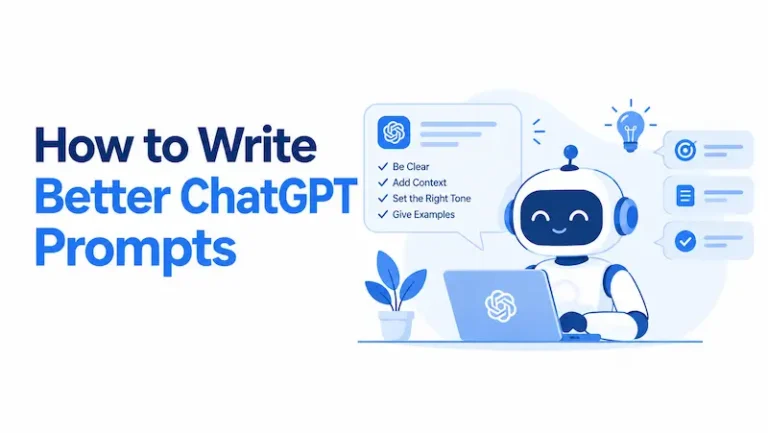
If you want a more detailed guide to creating effective prompts, see how to write better ChatGPT prompts.
| Element | What to provide | Useful question |
| T: Task | The specific action ChatGPT should perform | What do I want it to do? |
| A: Audience | The person who will read or use the answer | Who is this for? |
| R: Relevant context | Facts, background, data, or source material | What could change the answer? |
| G: Guardrails | Requirements, constraints, and exclusions | What must it include or avoid? |
| E: Example | A sample of the desired style or structure | Would an example remove ambiguity? |
| T: Type of output | The format and level of detail required | What should the finished answer look like? |
You do not need all six elements for every question. A simple calculation or definition may require only the task. A business plan, policy review, research summary, or content brief usually needs more direction.
OpenAI’s official prompt-engineering documentation similarly separates prompts into instructions, examples, and context. It also explains that headings, lists, and tags can help distinguish different parts of a prompt. Although parts of the documentation are written for developers, the organizational principles also apply to ordinary ChatGPT conversations. See the OpenAI prompt-engineering guide.
A reusable TARGET prompt template
Copy and adapt this template:
Task:
[Explain exactly what you want ChatGPT to do.]
Audience:
[Describe who will read or use the result and what they already know.]
Relevant context:
[Provide the facts, background, data, or source material that could affect
the answer.]
Guardrails:
[List requirements, constraints, priorities, and anything to avoid.]
Example:
[Add an approved example if style or structure matters.]
Type of output:
[Specify the format, length, organization, and level of detail.]
This is a starting point, not a mandatory formula. Remove any field that does not help with the task.
1. Define the Exact Task
Begin with a precise action. Tell ChatGPT whether you want it to explain, compare, calculate, summarize, edit, plan, classify, critique, or recommend.
Weak prompt
Tell me about customer retention.
This prompt identifies the subject but not the desired outcome.
Better prompt
Explain five practical ways a small subscription software company can
reduce customer cancellations during the first 30 days. For each method,
include the problem it addresses, one implementation step, and one metric
to monitor.
The improved prompt defines:
- The type of organization
- The customer lifecycle stage
- The number of recommendations
- The expected level of detail
- The information needed to act
Specificity does not mean adding every possible detail. Include information that could materially change the answer.
2. Identify the Audience
An answer can be accurate but still fail because it is written for the wrong person.
Tell ChatGPT who will use the response and what that person already understands.
Explain machine-learning model drift to a compliance manager who
understands operational risk but has no data-science background. Use one
business example and avoid mathematical notation.
You can define the audience by:
- Role
- Existing knowledge
- Industry
- Reading level
- Main concern
- Reason for using the information
“Write for beginners” is helpful, but it remains broad. “Write for first-time managers preparing to conduct employee performance reviews” gives ChatGPT a clearer target.
3. Add Relevant Context
ChatGPT does not automatically know your private situation, unpublished information, internal terminology, budget, previous attempts, or unstated priorities.
Relevant context may include:
- Your objective
- The problem you are trying to solve
- What you have already attempted
- Available time, people, tools, or budget
- The market or jurisdiction involved
- Decisions that have already been made
- Relevant figures, policies, notes, or documents
- Information the answer must treat as authoritative
Consider the request, “Create a training plan for my team.”
A more useful version would be:
Create a four-week introductory AI governance training plan for 12
compliance employees. They understand risk management but have limited
technical AI knowledge. The plan must require no more than two hours per
week and should cover AI fundamentals, risk identification,
accountability, and basic control design.
The additional context changes the scope, difficulty, delivery, and subject coverage of the plan.
Separate instructions from reference material
When you paste an article, report, policy, transcript, or dataset, distinguish your instructions from the material ChatGPT should analyze.
Task:
Summarize the policy below for new employees.
Guardrails:
– Use plain English.
– Preserve all employee obligations.
– Do not introduce requirements that are absent from the policy.
– Flag any language that appears ambiguous.
Source policy:
<policy>
[Paste the policy here]
</policy>
OpenAI’s guidance recommends using formatting such as Markdown headings or XML tags to mark logical boundaries within prompts. Clear boundaries help distinguish your instructions from the source content.
4. Set Guardrails and Priorities
Guardrails define what the response must include, exclude, preserve, or prioritize.
Useful guardrails can cover:
- Length
- Tone
- Reading level
- Budget
- Geographic scope
- Time period
- Required topics
- Available resources
- Prohibited content
- Facts that must remain unchanged
- Sources that may be used
- How uncertainty should be handled
A measurable constraint is usually more useful than a vague preference.
Write a customer follow-up email of 120 to 150 words. Use a warm,
professional tone. Mention the delayed delivery, provide the revised date,
and offer a refund. Do not use promotional language.
Resolve conflicting priorities
Some instructions naturally conflict. A response cannot always be both exhaustive and extremely short.
If several requirements compete, tell ChatGPT which matters most:
Prioritize factual completeness over brevity. Keep the answer concise where
possible, but do not remove legally significant exceptions.
Do not overload the prompt with restrictions that do not affect the result. Excessive instructions can make the task harder to interpret and the output less natural.
5. Provide an Example When It Adds Clarity
Descriptions such as “professional,” “engaging,” or “friendly” can be interpreted in different ways. An example can communicate the expected structure, vocabulary, tone, and depth more precisely.
Write three product descriptions following the structure and level of
detail in the approved example below. Match its restrained, informative
tone, but do not copy its wording.
Approved example:
[Insert example]
State which characteristics ChatGPT should imitate. Otherwise, it may copy features you did not intend to preserve.
OpenAI describes the use of example inputs and outputs as few-shot learning. Examples help the model recognize and apply the requested pattern without additional training.
An example is especially useful for:
- Brand voice
- Classification
- Data formatting
- Product descriptions
- Repeated reports
- Email style
- Structured summaries
6. Define the Type of Output
Specify how the finished response should be presented.
Useful output types include:
- Step-by-step guide
- Comparison table
- Checklist
- Decision matrix
- Presentation outline
- Executive summary
- Frequently asked questions
- Prioritized action plan
- Structured report
Instead of asking ChatGPT to “compare these options,” try:
Compare the three options in a table using price, essential features,
implementation difficulty, support, and suitability for a five-person
team. After the table, recommend one option and explain the most important
trade-off.
Choose a format that suits the information. Tables work well for concise comparisons. Detailed reasoning and qualifications are usually clearer in paragraphs.
A Before-and-After Prompt Comparison
Consider a business owner who needs an article outline.
Vague prompt
Write an outline about remote work.
A likely response would cover broad topics such as benefits, communication, productivity, tools, and work-life balance. It might be reasonable, but it would not necessarily address a particular reader or business problem.
Structured prompt
Task:
Create an article outline explaining how small professional-services firms
can manage information-security risks in hybrid work.
Audience:
Owners and operations managers with limited cybersecurity knowledge.
Relevant context:
The firms have fewer than 25 employees and use cloud-based email, file
sharing, and video meetings. Some employees use personal devices.
Guardrails:
– Explain risks without using fear-based language.
– Cover access control, personal devices, file sharing, phishing, employee
training, and incident reporting.
– Include one practical action under every major section.
– Separate immediate low-cost measures from longer-term improvements.
– Do not invent statistics.
– Exclude large-enterprise infrastructure unless it is directly relevant.
Type of output:
Provide an H1, logical H2 and H3 headings, and a two-sentence description
under each H2.
The second prompt is more likely to produce a useful outline because it defines the business size, technology environment, audience, scope, tone, exclusions, and output.
The improvement does not come from making the prompt longer. It comes from adding information that changes the answer.
Match the Prompt to the Task
Different tasks require different instructions. A universal template helps organize a prompt, but the quality criteria should reflect the work being performed.
| Task | Information that most improves the answer |
| Explanation | Reader knowledge, desired depth, examples, terminology |
| Comparison | Options, decision criteria, priorities, trade-offs |
| Research | Scope, date range, source standards, citation requirements |
| Editing | Audience, tone, required meaning, protected terminology |
| Planning | Goal, resources, constraints, sequence, completion criteria |
| Brainstorming | Number, range, originality, feasibility, evaluation stage |
| Troubleshooting | Symptoms, environment, error messages, attempted fixes |
| Summarization | Audience, purpose, desired length, facts that must remain |
| Recommendation | Use case, budget, priorities, exclusions, uncertainty |
For example, a brainstorming prompt should initially encourage variety. A recommendation prompt should emphasize evaluation criteria and trade-offs. A research prompt should emphasize evidence and source verification.
Ask ChatGPT to Clarify Missing Information
If the task depends on facts you have not supplied, ask ChatGPT to identify the gaps before answering.
Before creating the proposal, ask me up to five questions that would
materially affect your recommendation. Do not draft the proposal until I
answer them.
This is useful for:
- Business plans
- Technical troubleshooting
- Personalized recommendations
- Travel planning
- Training programs
- Content strategies
- Product comparisons
If you want a faster response, ask ChatGPT to state its assumptions instead:
If necessary information is missing, make reasonable assumptions and list
them before the answer.
Use questions when an incorrect assumption could significantly change the result. Allow stated assumptions when speed matters and the consequences are limited.
Break Complex Tasks Into Stages
A complicated request may combine research, analysis, judgment, drafting, and quality control. Dividing it into stages lets you correct the direction before the final answer is produced.
A staged workflow could be:
- Define the objective and audience.
- Identify missing information.
- Propose an outline or approach.
- Review and correct that approach.
- Produce the complete draft.
- Check the draft against explicit criteria.
- Revise the final version.
This approach is useful for long articles, business plans, policy reviews, training programs, and other substantial work.
Simple tasks do not need an elaborate workflow. Use stages when reviewing an intermediate result could prevent significant rework.
How to Repair a Weak ChatGPT Answer
A disappointing first response is often repairable. Identify the problem instead of saying only, “Make it better.”
| Problem | Diagnostic follow-up |
| Too generic | “Replace broad advice with specific actions for the situation I described.” |
| Too long | “Reduce this by 30% without removing essential facts or steps.” |
| Too technical | “Rewrite this for a nontechnical manager and explain necessary terms.” |
| Poorly organized | “Reorganize this as a five-step process in execution order.” |
| Wrong tone | “Use a calm, direct, professional tone and remove promotional language.” |
| Unsupported claims | “Identify claims that require verification and remove any you cannot support.” |
| Missing limitations | “Add the main limitations, exceptions, and trade-offs.” |
| Weak recommendation | “Evaluate each option against my criteria before recommending one.” |
| Repetitive | “Remove repeated ideas and combine overlapping sections.” |
| Based on assumptions | “List the assumptions behind this answer and explain which could change it.” |
You can also request a criteria-based review:
Review the answer for accuracy, relevance, clarity, completeness, and
unsupported assumptions. Identify the three most important weaknesses,
then produce a corrected version.
This may improve the response, but it is still self-review. It does not independently prove that the answer is accurate.
Choose the Right ChatGPT Capability
Prompt quality is only one part of getting a useful answer. When available in your version of ChatGPT, choose capabilities that match the task.
Use ordinary chat for stable explanations and drafting
A standard conversation may be sufficient when you want to:
- Explain a concept
- Rewrite supplied text
- Generate ideas
- Organize information
- Create a draft
- Work through a problem conversationally
Provide a file when the answer must rely on a document
If you want ChatGPT to analyze a contract, policy, report, spreadsheet, or transcript, provide the actual material when you are authorized to do so.
Then explain:
- Which document is authoritative
- Which sections matter
- Whether the answer must stay within the supplied material
- What should happen if the document does not contain the answer
For example:
Answer using only the attached policy. Cite the relevant section for each
conclusion. If the policy does not answer a question, state that the
information is not provided.
OpenAI’s documentation explains that relevant context can be supplied to constrain a response to selected resources. See its guidance on including relevant context.
Use current web research for changing information
Information such as laws, product features, public officials, prices, schedules, scientific developments, and current events can change.
When current information matters, ask for current research and source links:
Research this using current primary sources. Include the date relevant
information was published or updated. Link every material time-sensitive
claim to the source that supports it.
Availability and names of ChatGPT features can vary by plan, platform, region, and product update. Use the research capability available in your interface and verify important sources yourself.
Start a new chat when old context interferes
Continue an existing conversation when the new task depends on earlier decisions, drafts, or reference material.
Start a new conversation when:
- The subject has changed completely.
- Earlier instructions conflict with the new task.
- ChatGPT keeps applying an outdated assumption.
- The conversation contains too much irrelevant context.
- You want to test whether the old conversation is influencing the answer.
A new conversation removes much of the task-specific context from the previous thread, but account-level personalization settings may still apply where enabled.
How to Get More Accurate Answers From ChatGPT
A clearer prompt can reduce misunderstanding, but it cannot guarantee that every factual statement will be correct.
For factual work, use a verification-focused instruction:
Use current primary sources. Link each material factual claim to the page
that supports it. Separate confirmed facts from reasonable inferences. If a
claim cannot be verified, say so rather than guessing.
Then perform your own checks:
- Open each important source.
- Confirm that the page exists.
- Check its publication or update date.
- Make sure it applies to the correct country, product, or period.
- Confirm that the source supports the surrounding claim.
- Prefer primary sources where they are reasonably available.
- Check whether important qualifications were omitted.
A citation does not automatically prove a statement. A source may be outdated, misunderstood, or only loosely related to the claim.
Tell ChatGPT how to handle uncertainty
Use instructions such as:
Do not fill information gaps with guesses. Separate established facts,
reasonable inferences, and unanswered questions.
Or:
If more than one interpretation is plausible, explain the main
interpretations and identify the information needed to resolve them.
This is more useful than telling ChatGPT to “be 100% accurate,” which cannot create a factual guarantee.
When a Better Prompt Is Not Enough
Some problems cannot be solved through prompt wording alone.
A better prompt may not be enough when:
- The required information is unavailable.
- The available source is incomplete or outdated.
- The question has no objectively correct answer.
- The evidence is conflicting.
- Specialist judgment is required.
- ChatGPT does not have access to the relevant private data.
- The answer depends on facts you have not supplied.
- The task requires direct inspection, testing, or measurement.
- The consequences of an error are too serious for unreviewed AI output.
For legal, medical, financial, safety, employment, and other high-stakes decisions, use ChatGPT to help organize questions or understand general concepts, not as a substitute for an appropriately qualified professional.
If the task depends on current or proprietary information, supply an authorized source or use an appropriate research capability. If neither is available, the responsible answer may be that the question cannot yet be resolved.
Protect Sensitive Information
Do not paste passwords, authentication codes, private keys, payment details, or confidential personal data into a prompt.
For workplace tasks, follow your organization’s approved rules for:
- AI use
- Confidentiality
- Personal data
- Intellectual property
- Client information
- Records retention
- Security classification
Provide only the information needed for the task. Replace unnecessary identifiers with labels such as [Customer A], [Employee], or [Contract Value].
A more detailed prompt does not need to contain more sensitive information.
Reusable Prompts for Common Tasks
Learning a subject
Task:
Explain [topic].
Audience:
Someone with [knowledge level].
Guardrails:
– Start with a plain-language definition.
– Explain how it works using one concrete example.
– Define necessary technical terms.
– Identify three common misunderstandings.
– Do not assume prior specialist knowledge.
Type of output:
Use short sections and finish with five questions I can use to test my
understanding.
Comparing options
Task:
Compare [option A], [option B], and [option C] for [specific use case].
Relevant context:
[Budget, audience, existing tools, and priorities.]
Guardrails:
– Use these criteria: [criteria].
– Explain the main advantage and limitation of each option.
– State any missing information that could change the comparison.
– Do not assume one option is best for everyone.
Type of output:
Begin with a concise table, then provide a conditional recommendation.
Editing text
Task:
Edit the text below for clarity, grammar, flow, and concision.
Audience:
[Audience]
Guardrails:
– Preserve the original meaning.
– Keep required terminology unchanged.
– Do not add unsupported claims.
– Use a [tone] tone.
– Identify factual statements that require verification.
Text:
[Insert text]
Creating a plan
Task:
Create a practical plan to achieve [goal] within [time frame].
Relevant context:
[Current situation]
Resources:
[Budget, time, people, and tools]
Guardrails:
[Limitations and priorities]
Type of output:
Organize the plan by priority and sequence. For each step, include the
action, owner, expected output, and completion criterion. List the three
assumptions most likely to affect the plan.
Conducting source-based research
Task:
Research [question].
Scope:
[Country, industry, population, or time period]
Guardrails:
– Prioritize current primary sources.
– Link material factual claims to supporting sources.
– Distinguish facts from analysis.
– Identify conflicting evidence.
– Do not invent missing data or citations.
– State the research cutoff date.
Type of output:
Provide a concise answer first, followed by evidence, limitations, and
practical implications.
Common Prompting Mistakes
Adding an impressive role but omitting the task
“You are a world-class expert” does not provide the facts, constraints, or evaluation criteria needed for a useful answer.
A role can establish a relevant perspective:
Review this policy as an editor focusing on clarity, consistency, and
undefined terminology.
The detailed instructions that follow usually matter more than an inflated title.
Asking for “the best” without defining it
Best can mean cheapest, easiest, fastest, safest, most capable, or most suitable for a specific situation.
Define the criteria and their priority:
Recommend the best option for a five-person team. Prioritize ease of use
first, total annual cost second, and advanced customization third.
Giving conflicting instructions
“Be comprehensive but extremely short” creates an unresolved trade-off. Tell ChatGPT which requirement has priority.
Pasting too much irrelevant context
More context is not automatically better. Repeated or unrelated information can obscure the details that matter.
Include information that affects the answer. Summarize long background sections when the original wording is not required.
Using vague revision instructions
“Try again” or “make it better” does not explain what failed. Identify whether the problem is accuracy, specificity, tone, structure, length, evidence, or relevance.
Treating the first response as final
For consequential tasks, treat the first response as a draft. Review its assumptions, evidence, organization, and suitability before using it.
Trusting polished language as evidence
Fluent writing can make unsupported information sound credible. Judge an answer by its evidence and reasoning, not its confidence or presentation.
A Quick Prompt Checklist
Before submitting an important prompt, ask:
- Have I stated the exact task?
- Is the intended audience clear?
- Have I provided the context that could change the answer?
- Did I identify the most important requirements?
- Are the constraints relevant and compatible?
- Would an example remove ambiguity?
- Have I specified a useful output format?
- Should ChatGPT ask questions before answering?
- Does the task require current sources or an uploaded document?
- Have I explained how uncertainty should be handled?
- Have I removed sensitive or unnecessary information?
- Will a qualified person need to review the result?
You do not need every item for every prompt. Apply the checklist in proportion to the complexity and consequences of the task.
Conclusion
Learning how to get better answers from ChatGPT is mainly a matter of removing important ambiguity.
Use the TARGET Prompt Method:
- Define the Task.
- Identify the Audience.
- Add Relevant context.
- Set Guardrails.
- Provide an Example when it helps.
- Specify the Type of output.
For simple questions, keep the prompt simple. For complex tasks, use structured instructions, relevant source material, clarification questions, and a staged workflow.
If the first response is weak, diagnose the problem instead of merely asking ChatGPT to try again. Most importantly, remember that a better prompt improves the quality of the interaction, not the truth of every statement. Verify important information and involve qualified human judgment when the consequences of an error are significant.